Icon of program: WinTumblr

WinTumblr for Windows

  • Free
  • 0.5
    1
  • 3K
  • V1.6
Free Download for Windows

View an ad to download for free

Update all your Tumblr accounts straight from your desktop

WinTumblr is a compact little desktop application that allows you to post to your Tumblr accounts without ever opening a browser window.

Unlock your creativity with Adobe Stock

Get 10 images or 1 video with a free trial

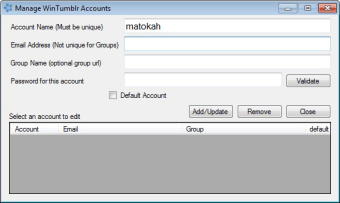
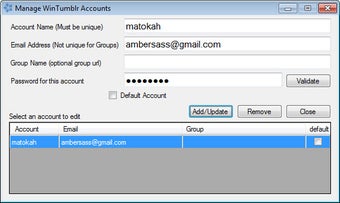
Set-up and adding accounts on WinTumblr is easy. As long as you know your account name, the email address you registered with, and your Tumblr password, you're set. You can even add multiple Tumblr accounts to WinTumblr and choose which account to post to with ease.

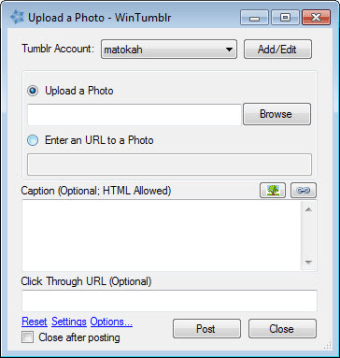
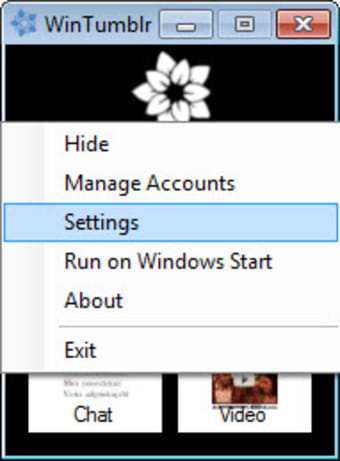
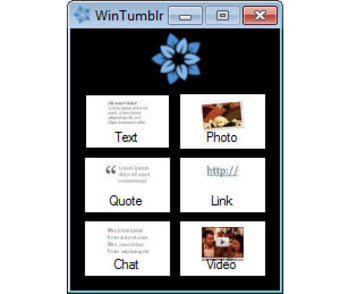
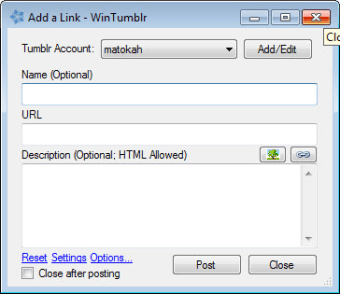
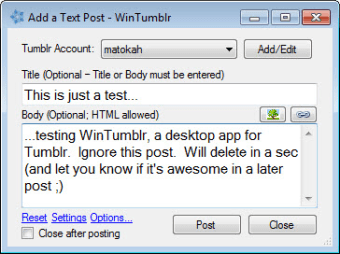
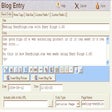
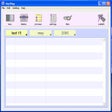
WinTumblr's interface is small and basic, but it gets the job done. You have the option to post in any of Tumblr's primary supported media forms, including text, photos, quotes, links, chats, and videos. Each option opens up a new WinTumblr window. There, you can choose which Tumblr account to use and post to your heart's content. Publication is lightning fast, and the formatting comes out by and large exactly the way each specific type of post should look. There's no real need to worry about editing the contents of your posts once they've been published as a result.

Unfortunately, WinTumblr is of limited usefulness if you want to connect with your followers as there's no way to read from your dashboard or view your private messages and notifications. If you're a Tumblr user who prefers to tag each post as well, WinTumblr may not be the desktop app for you. As of yet, there's no way to include tags, requiring you to open a browser window and edit your post on Tumblr's actual web page.

If you're looking for a desktop app to post content in different forms to Tumblr, WinTumblr is a good choice.


  • Pros

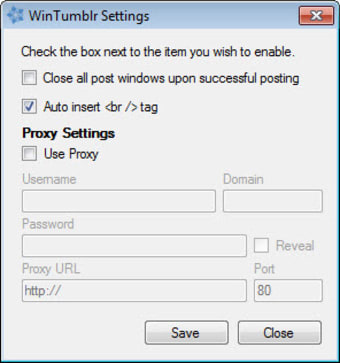
    • Option to close windows after posting
    • Small, inconspicuous interface
    • All Tumblr post options available on your desktop
    • Update multiple Tumblr accounts at a time
  • Cons

    • No option to disable auto-post to Twitter
    • No ability to read your dashboard or messages
    • No option to add tags
 0/9

App specs

  • Developer

  • License

    Free

  • Version

    1.6

  • Latest update

  • Platform

    Windows

  • OS

    Windows 8

  • Language

    English

  • Downloads

    3K

  • Size

    167.94 KB

Program available in other languages


Icon of program: WinTumblr

WinTumblr for PC

  • Free
  • 0.5
    1
  • 3K
  • V1.6
Free Download for PC

View an ad to download for free


User reviews about WinTumblr

Have you tried WinTumblr? Be the first to leave your opinion!

Add review

You may also like

Alternatives to WinTumblr

Explore Apps

Latest articles

Laws concerning the use of this software vary from country to country. We do not encourage or condone the use of this program if it is in violation of these laws.
Softonic

Is WinTumblr safe?

Score result: Clean

This file passed a comprehensive security scan using VirusTotal technology. It is safe to download.

  • Virus free
  • Spyware free
  • Malware free
  • Verified by Security Partners

    VirusTotal logo

Scan Info

Last scan
Wednesday, December 2, 2020
Scan provider
VirusTotal

Softonic security commitment

WinTumblr has been thoroughly scanned by our advanced security systems and verified by industry-leading partners. This file comes from the official developer and has passed all our security checks, showing no signs of viruses, malware, or spyware. For more information, visit our Security and Trust Center

Signed in to Softonic as